How do I create a MySQL database?
Print
Created by: Ben Robinson
Modified on: Wed, 31 Jul, 2019 at 9:08 PM
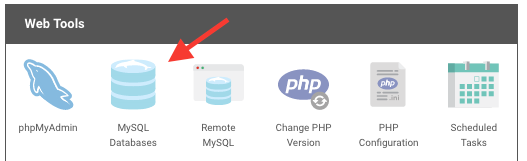
To create your database please login to the hosting control panel and go to Web Tools > MySQL Databases:
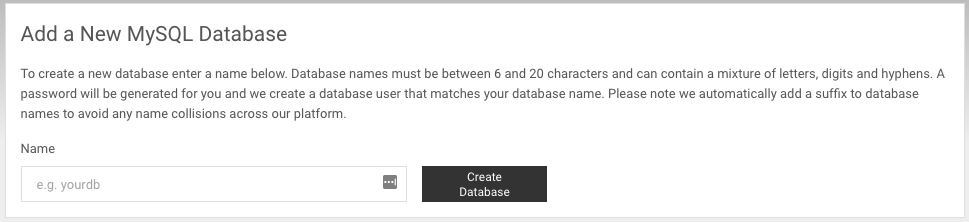
From the subsequent page you can choose the name of the database as long as this matches the naming rules outlined there, the password will be automatically created for you and you can update this once the database has been created:
Ben is the author of this solution article.
Did you find it helpful?
Yes
No
Send feedback Sorry we couldn't be helpful. Help us improve this article with your feedback.
