
Subdomains allow you to have a new web address for separate areas of your website.
For example, Google has, in addition to its root domain (google.com), various subdomains for different services (e.g. mail.google.com).
Setting up a subdomain through your account is easy with the Green House Web Hosting control panel.
Creating a subdomain requires the domain the subdomain is part of to be registered.
Create a subdomain hosted in your Control Panel
To create, log into your hosting control panel and go to Domains > Subdomains
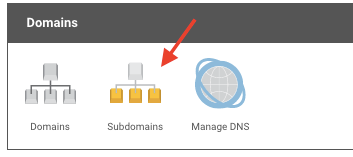

You can also set up subdomains as A records at Domains > Manage DNS section if you need this to point to an external IP/hostname.
This can only be done through your hosting control panel if your domain uses our nameservers. If it uses external nameservers, the external subdomain would need to be set up on those nameservers.
How long will it take to set up?
For subdomains set up within your account with us, it will take anywhere from 30 to 60 minutes for a subdomain to begin working as expected, whilst the update to your site's settings are processed.
If the subdomain is set up by changing the A records for your domain, the process can take a little longer, as the updates need to propagate around the world, which can take up to 24 hours to complete.